Description
Queuing System Ticket Printer
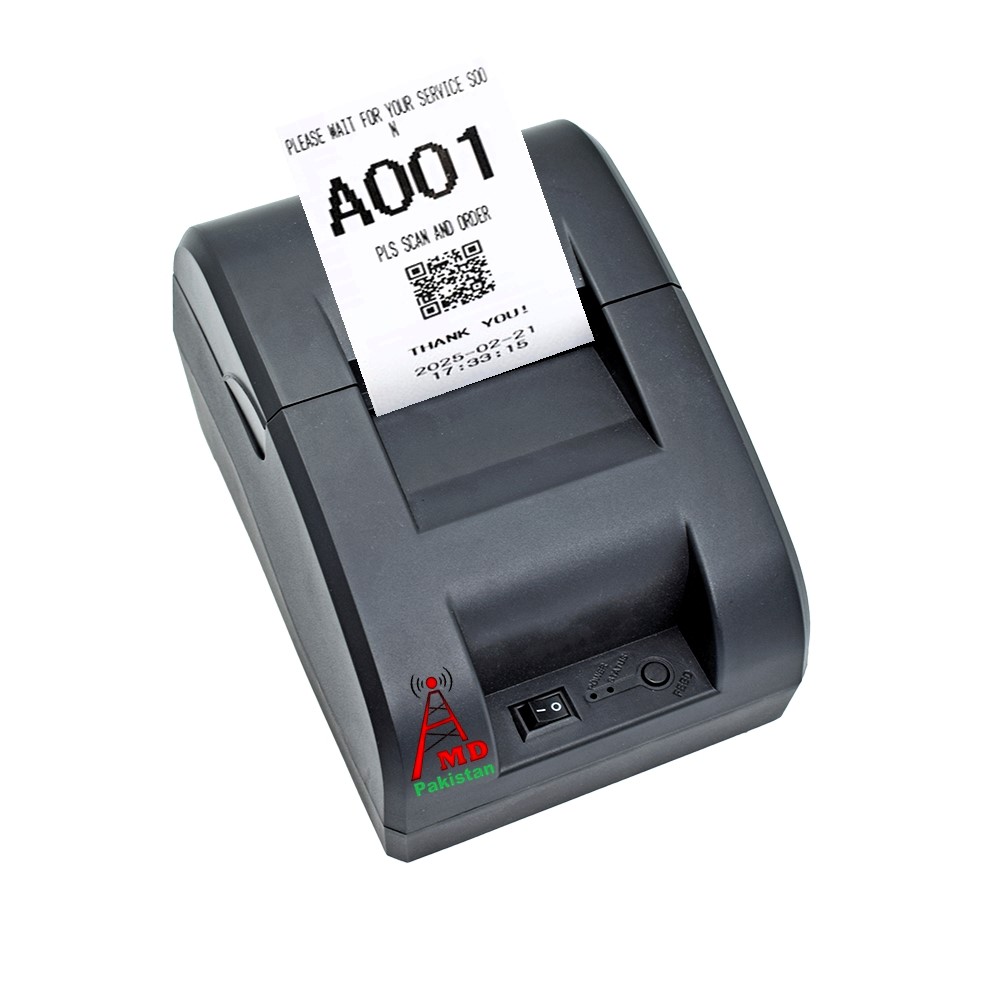
Built in Battery & Bluetooth Portable Queue Number Printer high speed Ticket Dispenser Take a Number 58mm Receipt Ticket Thermal Printer for Queue Can Edit Print Text via PC Show 3-Digits Waiting Number, Can press the button to take a number ticket for queue & Ticket Text can be edit by yourself.
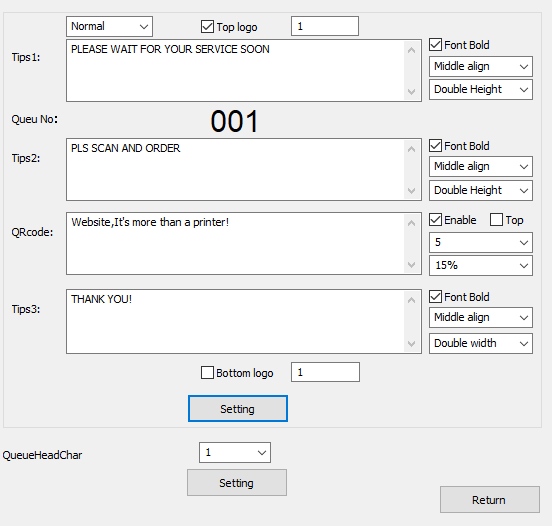
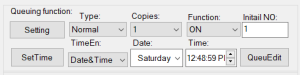
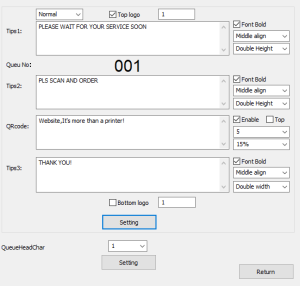
Queue number calling system This ticket dispenser is designed for queuing, providing a “take a number” system for customers. : Users can edit the printed ticket text, such as store name or address, via a computer using the USB cable. The entire shell is crafted from high-quality polycarbonate material, ensuring durability and scratch resistance.
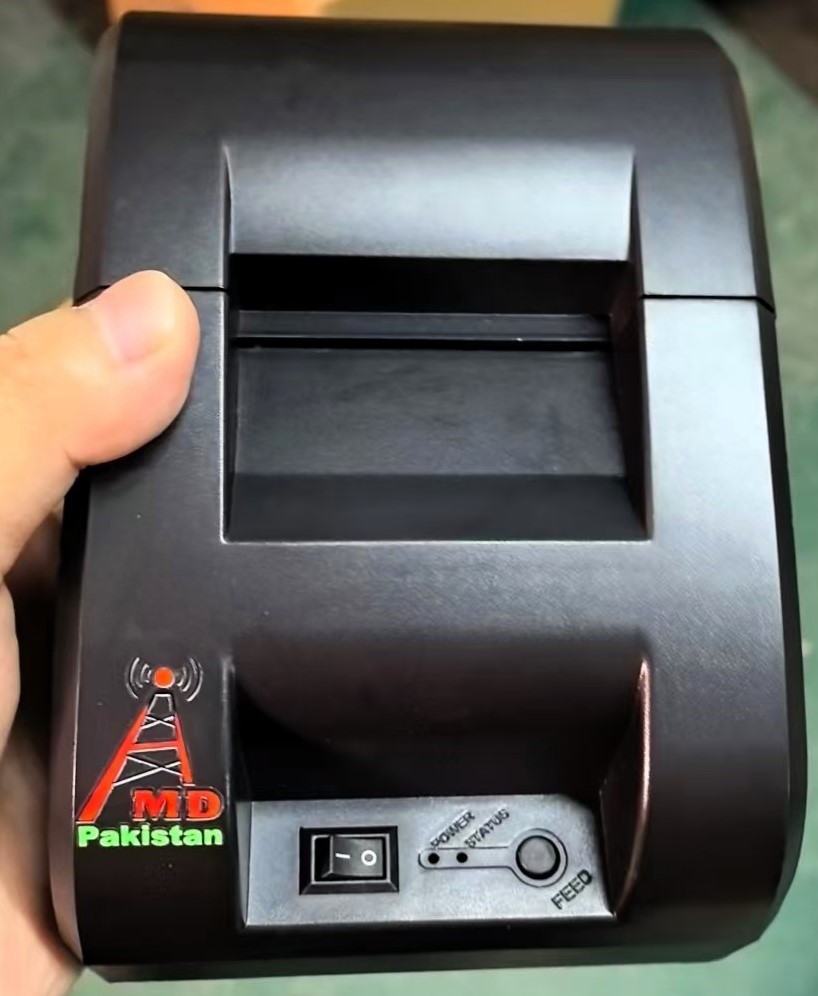
 Cheap professional wireless ticket dispenser queue printer machine, Tickets are dispensed by pressing a black button, and a user manual can be printed by pressing the feed button. The device supports printing two or more identical queue numbers simultaneously if needed.
 Queue ticket printer features:
- Easy use
- High quality
- Built-in Battery
- Simple queue system
- Economic Factory Price
- interface Blue tooth & USB
- Small size Queuing Machine
- Printer not need ink or Cartridge
- Support LOGO, print Time, Date & QR code
- One button electronic token ticket dispenser
- Auto save the Queue number after power failure
- Can press the button to take a number ticket for queue
- .Can print two or more same number at one time if you need
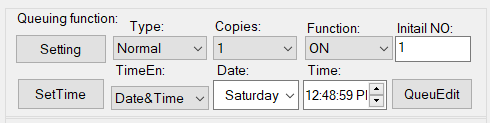
- Built in time & date module, time can be adjusted through the computer

Answer Yes, there is software support free setting upon your requirement. Such as ticket logo, QR, name, time , clinic, hospital, Bank, Rseturent, office & Customer services center address/Phone on it all right. We will provide Free software and clear manual for you and contact us if any no clear anytime.
Paramenters Queue Thermal Printer Model-AMD-112211
|
Desktop thermal printer interface USB & Bluetooth for Queue management system & Thermal Receipt Printeng
|
|
|
Printing method
|
Thermal dot line printing
|
|
Resolution
|
203dpi, 8dots/mm
|
|
Printing speed (Max)
|
90mm/s
|
|
Width
|
58mm
|
|
Valid printing width
|
48mm
|
|
Paper roller diameter
|
≤50mm
|
|
Paper thickness
|
60~80μm
|
|
Loading
|
Easy loading mechanism
|
|
Interface
|
Bluetooth( andriod and IOS) and USB
|
|
Command sets
|
Compatible with ESC/POS
|
|
Printer Head Life
|
50km Printing length
|
|
Font
|
ASCII:9×17,12×24, Multiple code pages support
|
|
1D
|
UPC-A, UPC-E, EAN8, EAN13, CODE39, ITF, CODEBAR, CODE128, CODE93
|
|
2D
|
QR code
|
|
Graphics
|
Support bitmap printing with different density and user defined bitmap printing (Max. 40K for per bitmap, and Max. 64K for total)
|
|
Sensors
|
Paper out/ low battery
|
|
LED indicator
|
Power on (blue flash)
|
|
Bluetooth (blue)
|
|
|
Error/ Paper out (red)
|
|
|
Charger
|
9V/2A adapte
|
|
Working condition
|
-5°C ~ 50°C, 25% ~ 80% R.H, no-condensation
|
|
Storage condition
|
-40°C ~ 60°C, 5% ~ 95% R.H, no-condensation
|
|
Dimension
|
180.04*133.73*108.74mm (W*D*H)
|
|
Weight
|
1kg aproximate (without paper roll & adapter)
|
|
SDK
|
Android and iOS
|
|
Application
|
Restaurants, Department Stores, Kitchen, Convenience Stores,
|
|
Specialty Retail, Super market
|
|
|
Interface
|
Win7/Win8/Win10
|
How this system work ?
This desktop single button queue system is most suitable for customer queue management system Client come reception and get the ticket one by one, Then waiting for call his number, then finish service. Make client queuing in order, avoid most problems.
Product List:
- Queue Printer
- Power adapter
- QMS Software
- USB Cable
- Manual


#QueueManagementSystem #TokenDispenser #QueuePrinter #TicketDispenser #ThermalPrinter #QueueSystemPakistan #TokenPrinter #QMS #QueueMachine #PakistanBusiness


